 Sivitas
Curriculum & syllabus
Define competency goals and learning objectives, map them to courses and assessments, and take each syllabus from draft to approved.
Two sidebar entries share these screens. Curriculum & Courses adds curriculum-level mapping for administrators; Syllabus is the lecturer's view of the courses they teach.
Curriculum mapping (administrators)
Open a curriculum to find these tabs:
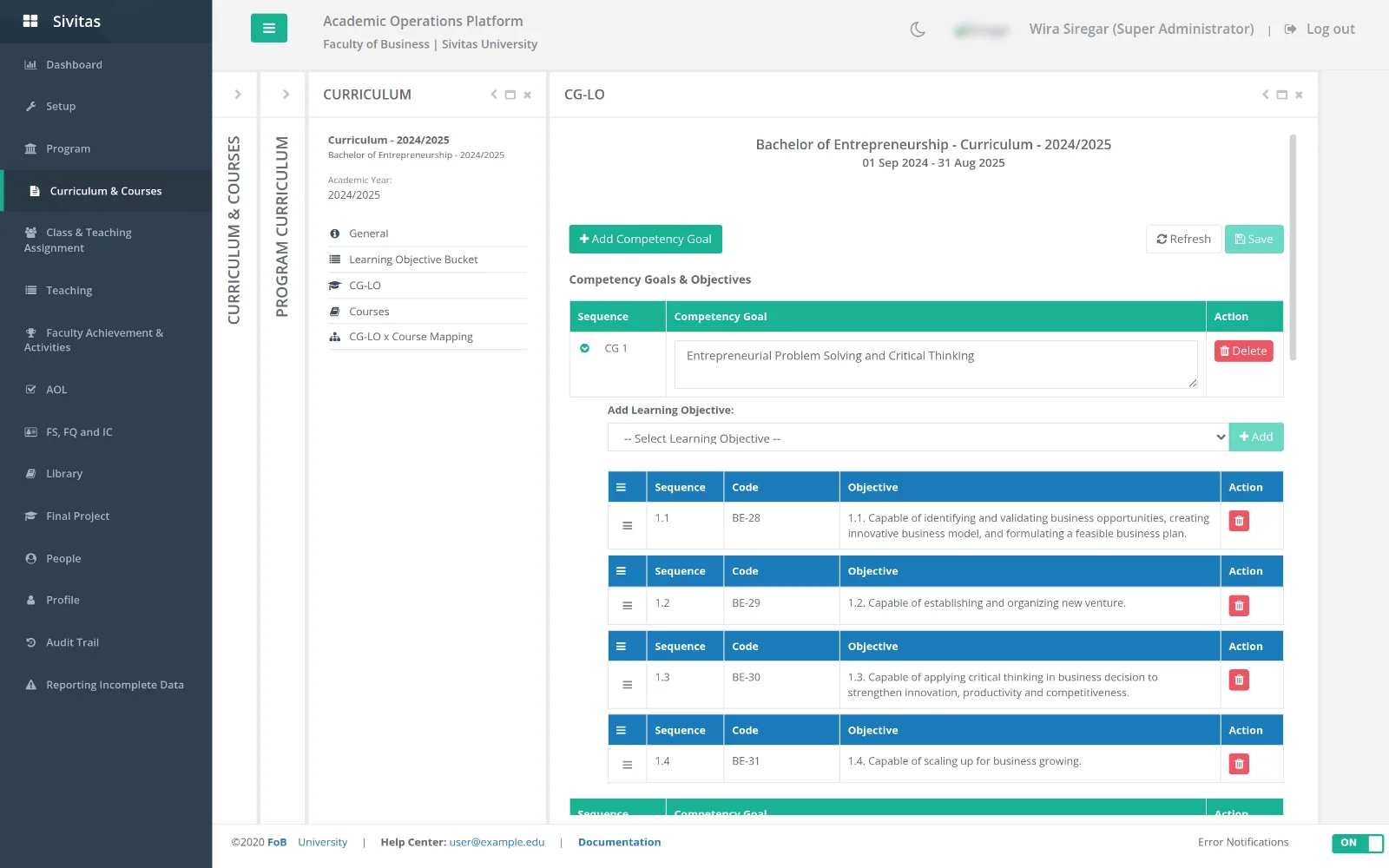
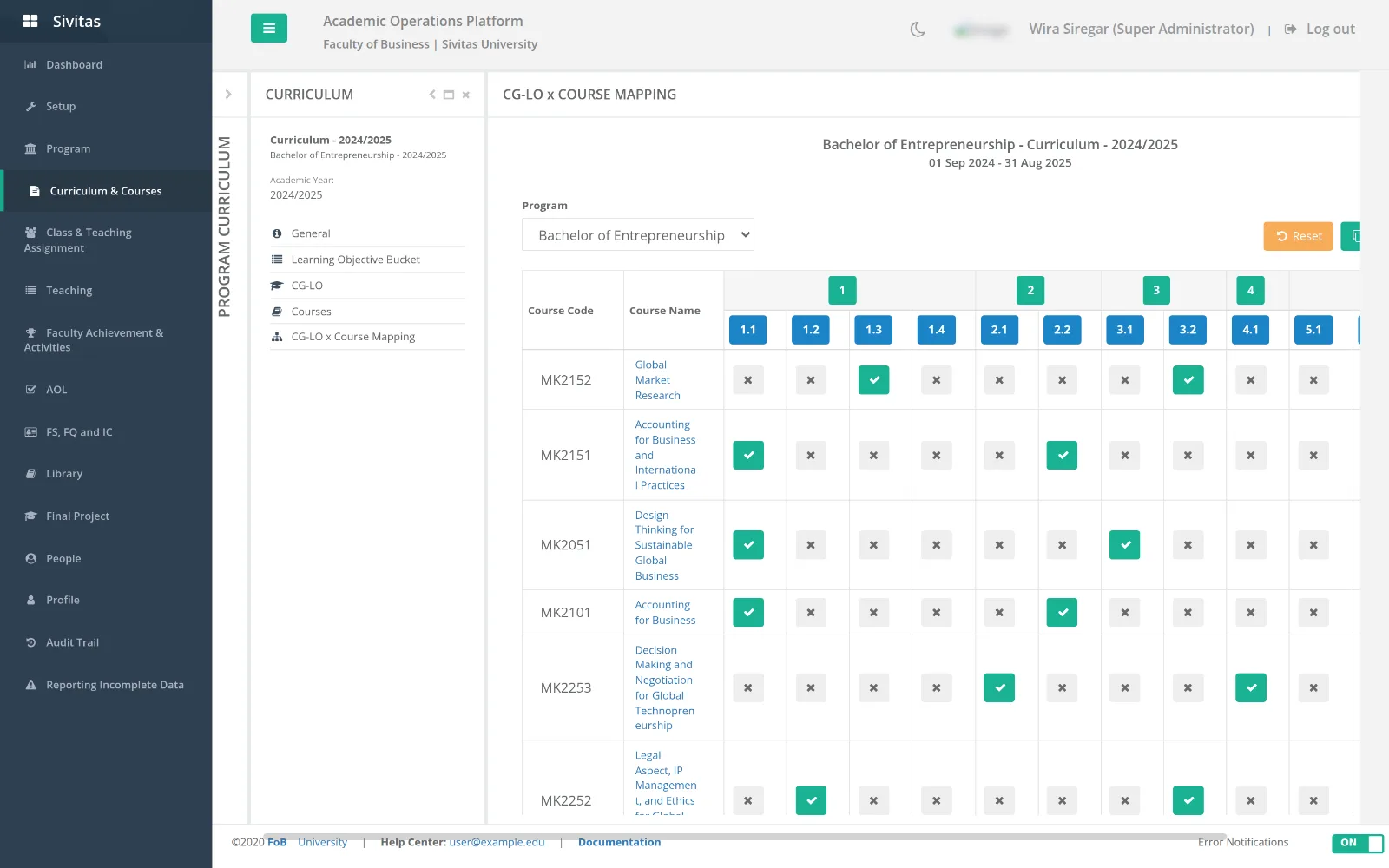
- General info.
- CG & LO. Competency goals and, under each, learning objectives. Copy from curriculum brings a full set from another curriculum.
- CG-LO × Course mapping. A matrix of learning objectives against courses. Tick where a course addresses an objective. Reset and Copy act on the whole matrix.
- Courses. The courses in this curriculum.
- AoL bucket. Groups learning objectives for assessment sampling in Assurance of Learning.
- Assessment component mapping. Maps grading components (exams, projects, assignments) to learning objectives, with select all exams / projects / assignments shortcuts.
- Data sync (if enabled). Pull courses, classes, faculty and students from your source system with progress and per-record status. See Integrations & API.
Writing a syllabus (lecturers)
Select the term and course. The syllabus is organised in tabs; each tab saves independently.
- General info. Description, prerequisites, outcomes. Set course outcome links the course to its learning objectives from the curriculum mapping.
- Course plan. Week by week: topic, subtopics, learning modalities (lecture, case discussion, lab, field work), preparation and deliverables. Course plan V2 is the newer builder with drag ordering. Import plan copies a plan from a previous term or a template.
- Grading policy. Grade thresholds and weighted grading components. The policy locks once the syllabus is approved, so grades entered later are consistent with what students were told.
- References. Add readings from the shared Reference library or create new entries in any of its 15 source types.
- Improvement plan feedback. Respond to the improvement actions recorded for this course in the last AoL cycle.
- Portfolio. Attach evidence such as sample assessments.
- Validation. A checklist of completeness. Click Submit for approval when every item is green.
Approval (program office)
Under Program › Syllabus Approval, reviewers open a submitted syllabus, read each tab, and Approve or Return it with comments. Approved syllabi appear on students' dashboards and in the Teaching console; only an administrator can reopen an approved syllabus for editing.
Syllabus configuration
Syllabus Configuration lets a program define, before lecturers start writing, the modalities, activity types, assignment types and grading-component templates available in its syllabi. Start from scratch or copy an existing configuration. Configurations are assigned per study program and term.
Syllabus configuration is marked as work in progress in the current release. The core syllabus workflow does not depend on it.
Documents
A completed syllabus can be generated as a Word document from the course plan for distribution or accreditation files.