 Sivitas
Teaching & learning
Final project
The thesis and capstone lifecycle from proposal to defense and graduation, for students, advisors and administrators.
SidebarFinal Project
Final Project StudentFinal Project AdvisorFacultySuper AdministratorDepartment AdministratorStudy Program Administrator
Final Project tracks each student's thesis or capstone through a fixed sequence of states: Submitted → Conditionally approved / Rejected → Approved → Finalized → Defense requested → Defense approved → Done. Each role sees the part of the process it owns.
Students
- Propose. Enter the working title, abstract, field and preferred advisor. Edit while the proposal is pending.
- Progress. A timeline of the project's states with the administrator's and advisor's comments. A badge in the sidebar shows unread messages awaiting your reply.
- Consultation report. Log each meeting with your advisor by month: date, topics, agreed actions. The advisor confirms entries.
- Defense. Once the project is finalized, request a defense date; cancel or change it before approval.
Advisors
- Requests. Students who named you: Need review, Requested as advisor, Approved. Accept or decline.
- My students. Open a project to read it, comment, add or confirm consultation entries and approve a defense request. The list exports to Excel or CSV.
Administrators
The admin menu is split into Advisors, Students, Proposals and Projects.
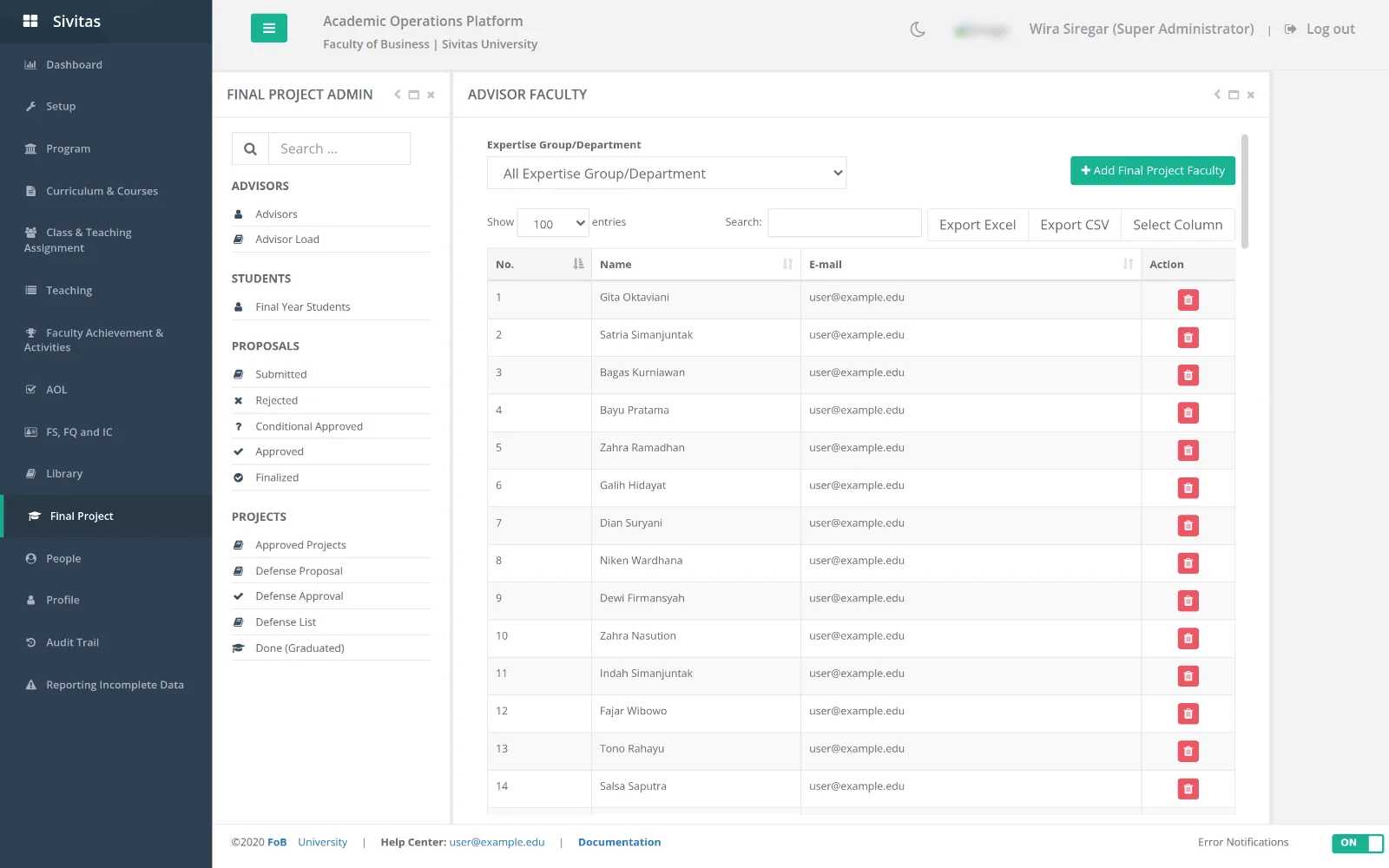
- Advisors. The advisor list and each advisor's load (current students against capacity). Adjust capacity here.
- Students. The final-year roster, with bulk Excel upload.
- Proposals. Queues for Submitted, Rejected, Conditionally approved, Approved and Finalized. Open a proposal to approve, approve with conditions, or reject with a reason. Finalize an approved proposal once title and advisor are fixed; Revise reopens a finalized one.
- Projects. Approved projects; Import of projects and of already completed projects when migrating history; Bypass mark as done for exceptional cases; the Defense proposal queue, Defense approval (with an administrative bypass), the Defense list of projects ready to defend, and the Done / Graduated list.
- Decision letter. Generates the completion letter for a finished project where the institution uses one.
Typical cycle
- Administrator uploads the final-year roster and sets advisor capacities.
- Student submits a proposal; advisor accepts the request.
- Administrator approves or sets conditions; student revises; administrator finalizes.
- Student and advisor log consultations across the semester.
- Student requests a defense; advisor and administrator approve; the project moves to Done after the defense.
Final project courses are excluded from the AI timetable by default and their supervision load is credited to the program head as a nominal amount. Configure this in Scheduling constraints.