 Sivitas
Faculty achievements & activities
Record everything a lecturer does professionally through standard forms, then take it through peer review and institutional approval.
A lecturer's record is built from activity items, each entered once through a standard form and then reused by the profile, the intellectual-contribution tables, the credit-point dossier (DUPAK) and the faculty performance report.
Categories and forms
The left menu groups categories, each with a live count of your items. Groups typically include Publication, Research and awards, Editorial and peer review, Supervision, Community service, Leadership and managerial roles, Institutional development, Professional maintenance, Adjunct and visiting roles, Education, and Other. Which groups appear is configured per institution.
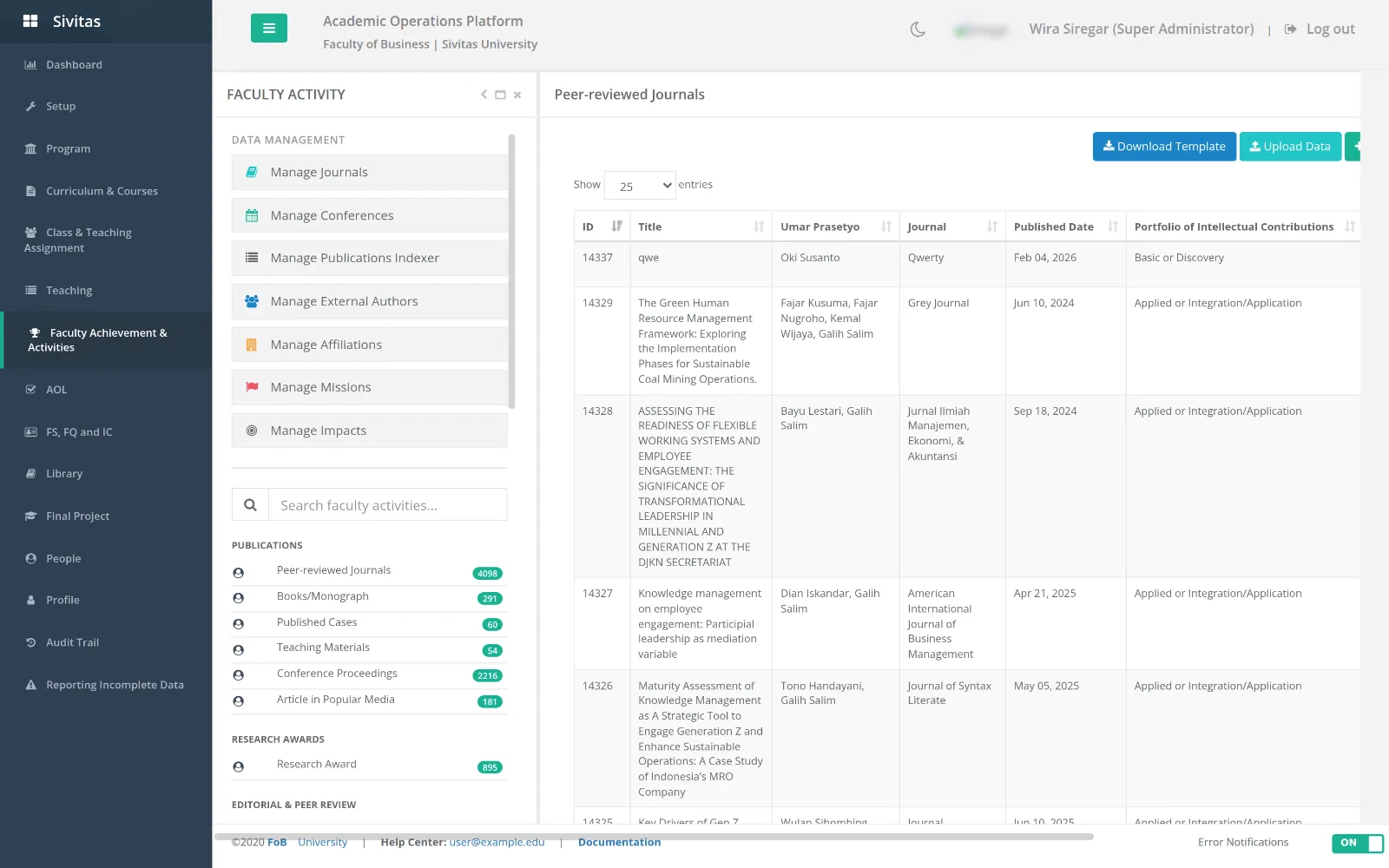
Each category has its own form. Examples: Peer-reviewed journal article, Textbook, Chapter in research book, Technical report, Published case, Teaching material, Conference proceedings, Article in popular media, Competitive research award, External funding, Book editor, Editorial board membership, Journal reviewer, PhD supervision to completion, Consulting, Executive education, Invited presentation, Professional certification, Adjunct or visiting role, Leadership role, Managerial role, Award or honour, Fostering student activities, Developing a lecture program, Guiding junior lecturers.
Adding an item (lecturers)
- Open the category and click Add.
- Fill the form. For publications, pick the journal or conference from the reference list so its tier and indexing are attached automatically; add co-authors, including external authors.
- Attach evidence (PDF, letter, certificate).
- Save. The item is in status Submitted and appears in the reviewers' queue.
Reference data (administrators)
Data management curates Journals, Conferences, Publication indexers, External authors, Affiliations, Missions and Impacts. Journals carry SINTA, ABDC, Scopus and SCImago classifications; import Scopus lists from Excel and, where configured, sync peer-reviewed journal data from the national research database.
Review and approval workflow
- Peer review (Faculty reviewers). Under Review, reviewers see categories with unreviewed counts. Open an item, read the evidence and enter a review score. The histogram shows how other reviewers scored the same item.
- Approval (Super Administrator or TPAK). Under Approval, approvers see each item's individual scores, the average and the distribution, then Approve final score, verify, conditionally verify, reject with a reason, or reset to unreviewed.
- Approved items count toward intellectual contributions and DUPAK. Rejected items return to the lecturer with the reason.
Reviewer assignment and notification settings are managed under Achievement Administrator › Assign reviewer.
Faculty performance report
HR and program heads see aggregated activity per lecturer and period under Remuneration & honorarium › Faculty performance report.