 Sivitas
Accreditation & quality
Assurance of Learning
The full outcomes-assessment cycle: map objectives, sample and assess, aggregate, report and record improvement plans.
SidebarAOL
AoL TeamAccreditation TeamSuper AdministratorFaculty
Assurance of Learning (AoL) is the module for business schools and any program that runs outcomes-based assessment. It is enabled when the institution's school type is business; other institutions can request it.
The cycle
- Define competency goals and learning objectives per curriculum.
- Map them to courses and to assessment components.
- Plan which classes are sampled each year and with which rubric (direct assessment) and which survey questions are used (indirect assessment).
- Assess sampled student work against rubric traits.
- Aggregate results by learning objective and year.
- Improve: record actions, and ask lecturers to respond in the next syllabus.
Builder
CG & LO is the same editor as in Curriculum & syllabus. Learning goals can be organised above competency goals where a program reports at goal level.
Assessment & report by program
Select a curriculum and work through the steps in order.
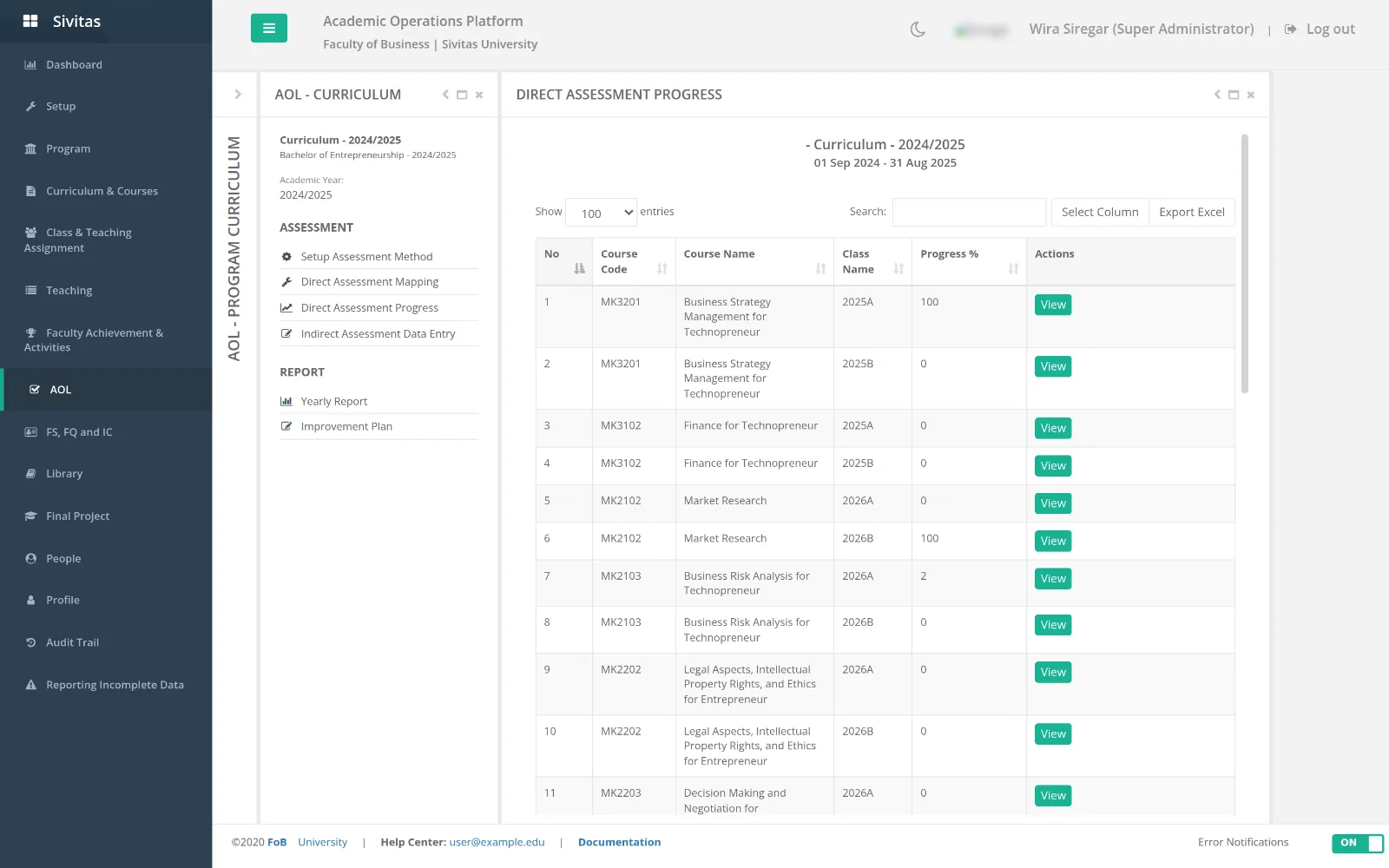
- Setup assessment method. For each learning objective choose direct, indirect or both, the rubric, and the target (for example 70 percent of students at "meets expectations").
- Direct assessment mapping. Choose which course classes are sampled this year for each objective, and which assessment component in those classes provides the evidence.
- Direct assessment progress. Per sampled class: assign assessors, follow scoring progress, open details, or Import scores collected outside Sivitas. Scoring itself happens in the Teaching console.
- Indirect assessment data entry. Pull results from the QA survey learning-objective questions or enter them manually.
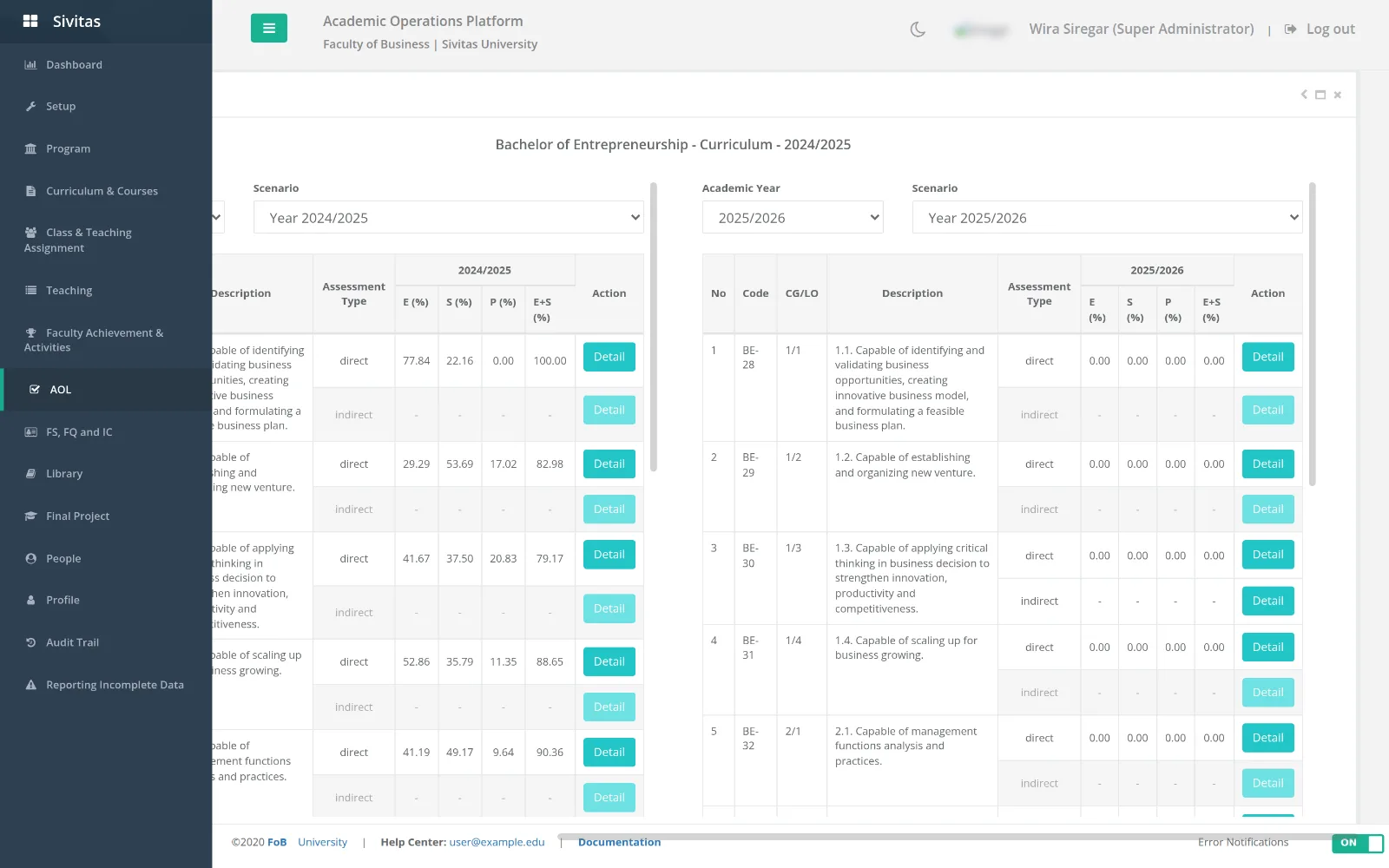
- Yearly report. Achievement per learning objective against target, with trend across years and drill-down to class level.
- Improvement plan. Record the discussion, the decided actions, the owner and the follow-up date. Lecturers see these actions under Improvement plan feedback in their syllabus and must respond.
Legacy screens
Items labelled (Old) are the previous generation of the same tools, kept so historical cycles remain readable. Do not start new cycles there.
Evidence
- Assessment recapitulation in the Teaching console prints a per-class, per-assessor report of sampled work and outcomes.
- Yearly report exports to Excel.
- The AACSB Table 8-1 view in Faculty sufficiency & qualification draws on the same data.